Mobile E-Learning · AI · UX Design · Learning Experience Design

SnapStory

A mobile app where children learn English by exploring everyday life—from taking photos of objects to weaving the words they discover into a personalized English picture-book story.
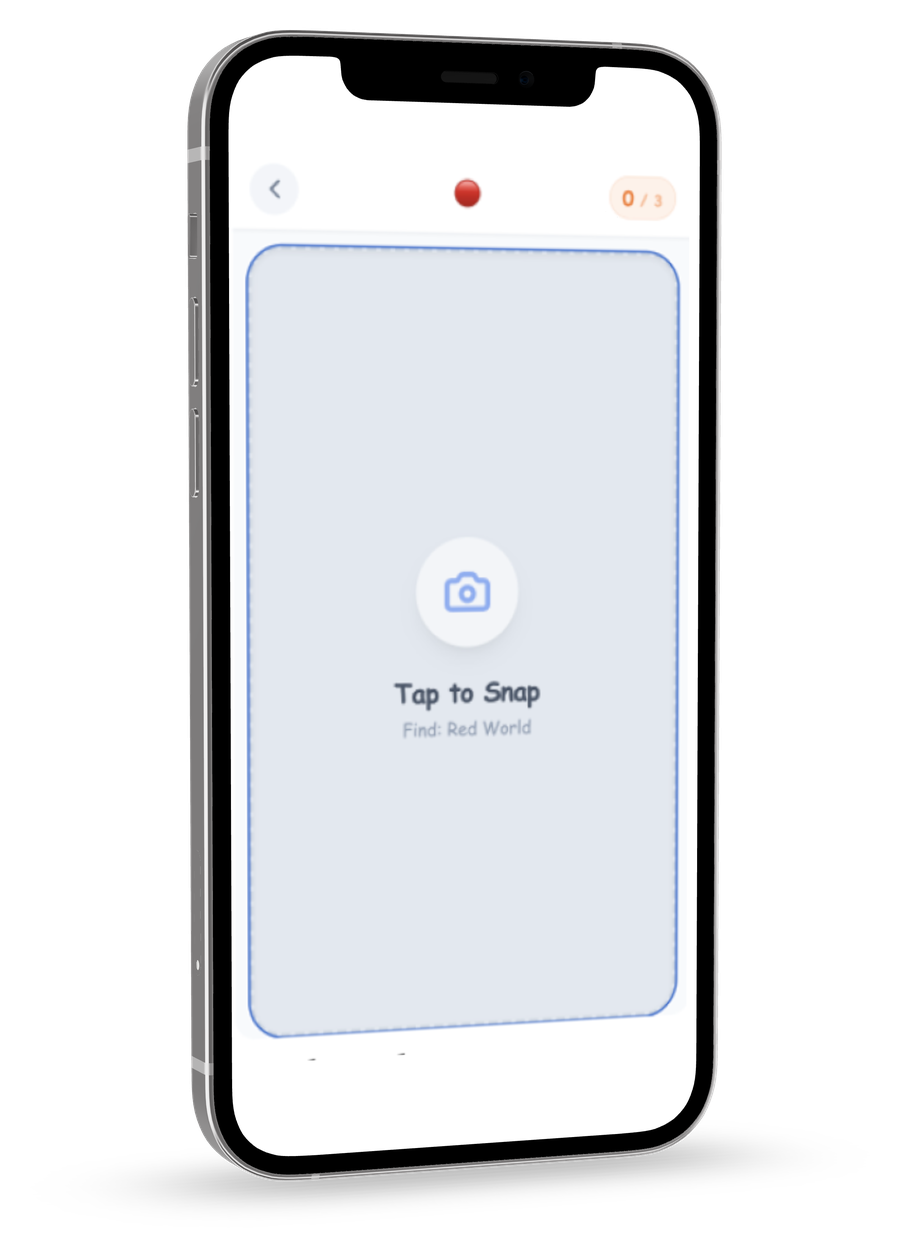
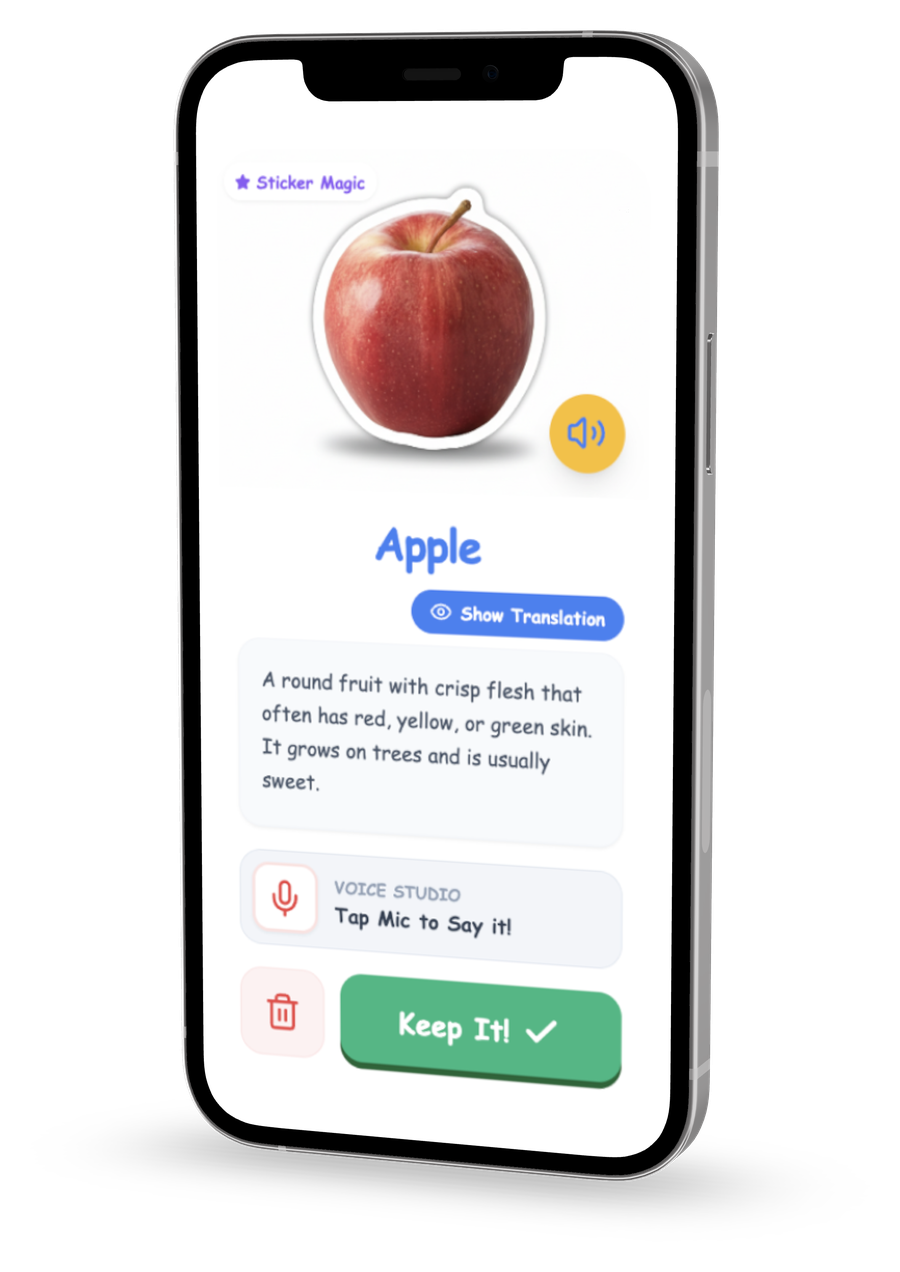
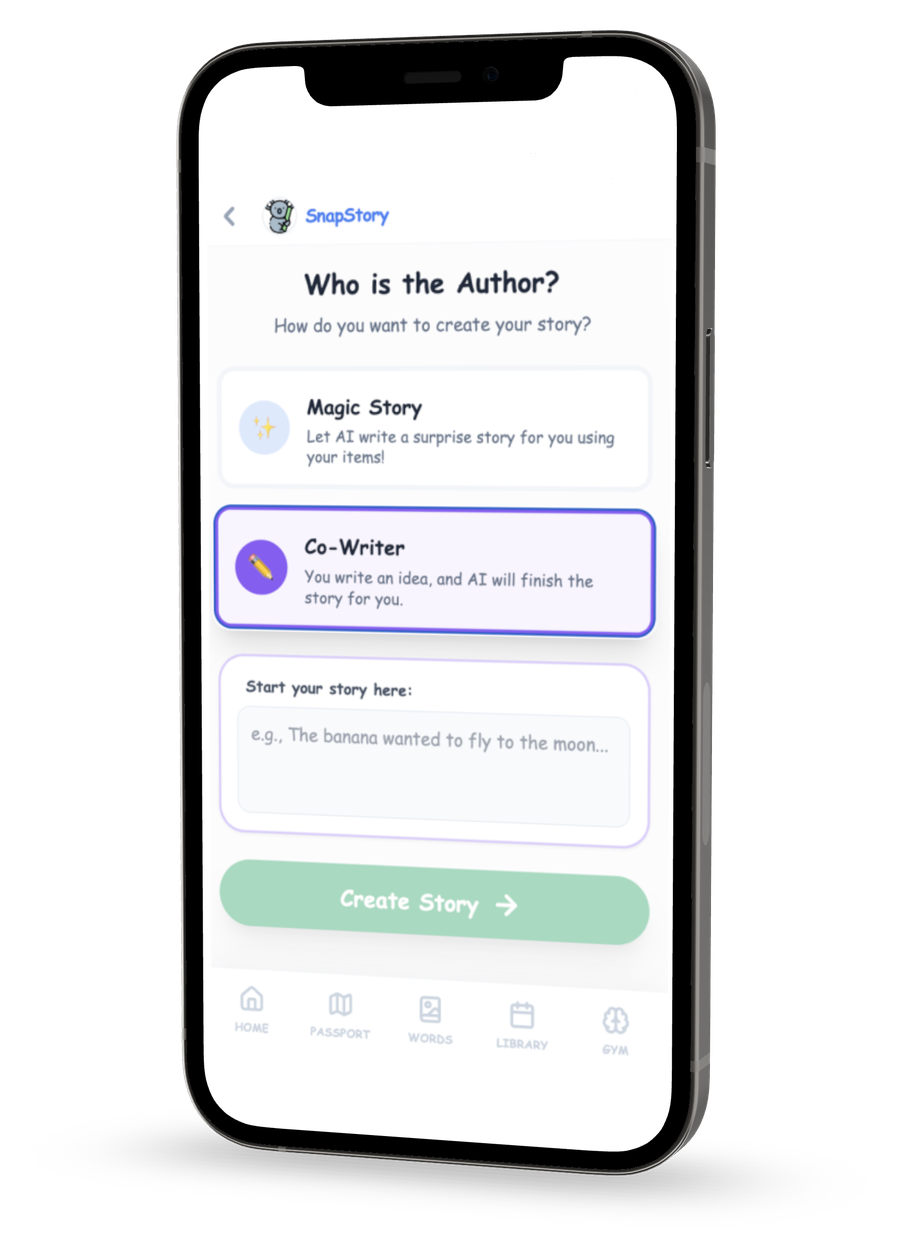
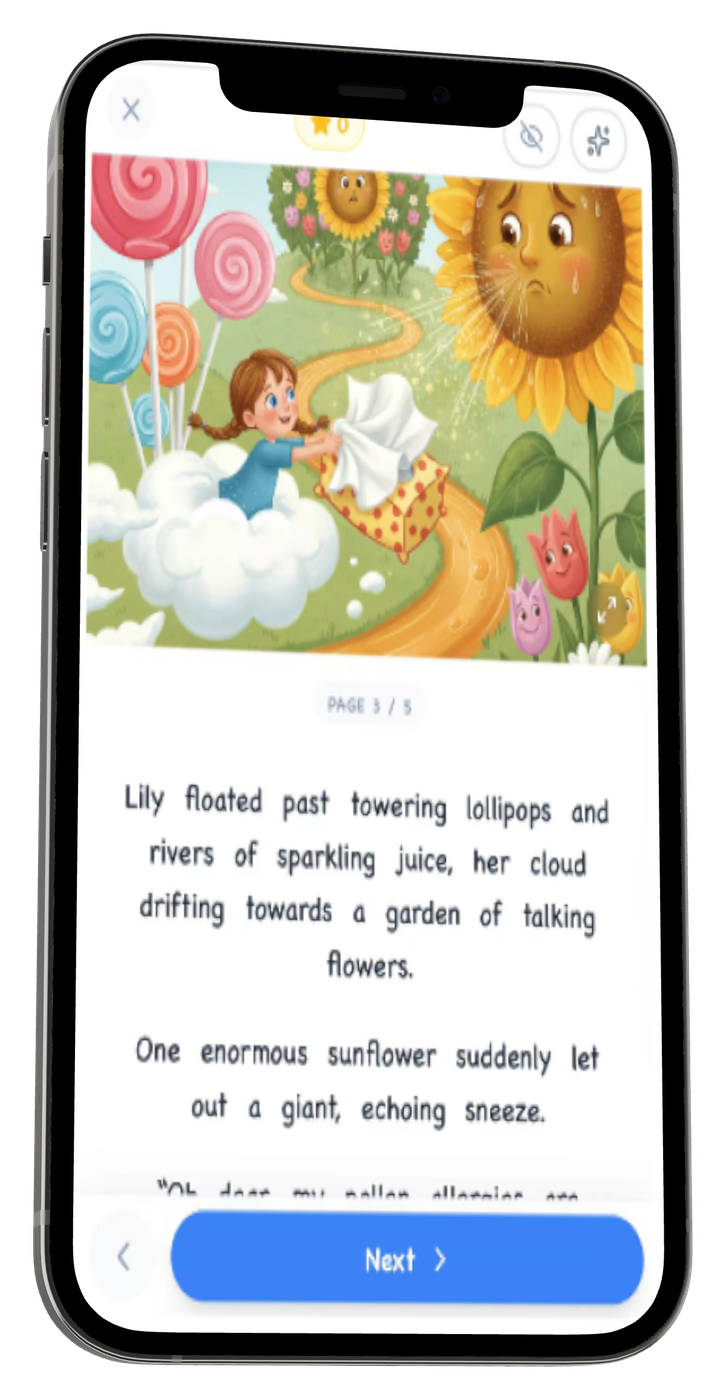
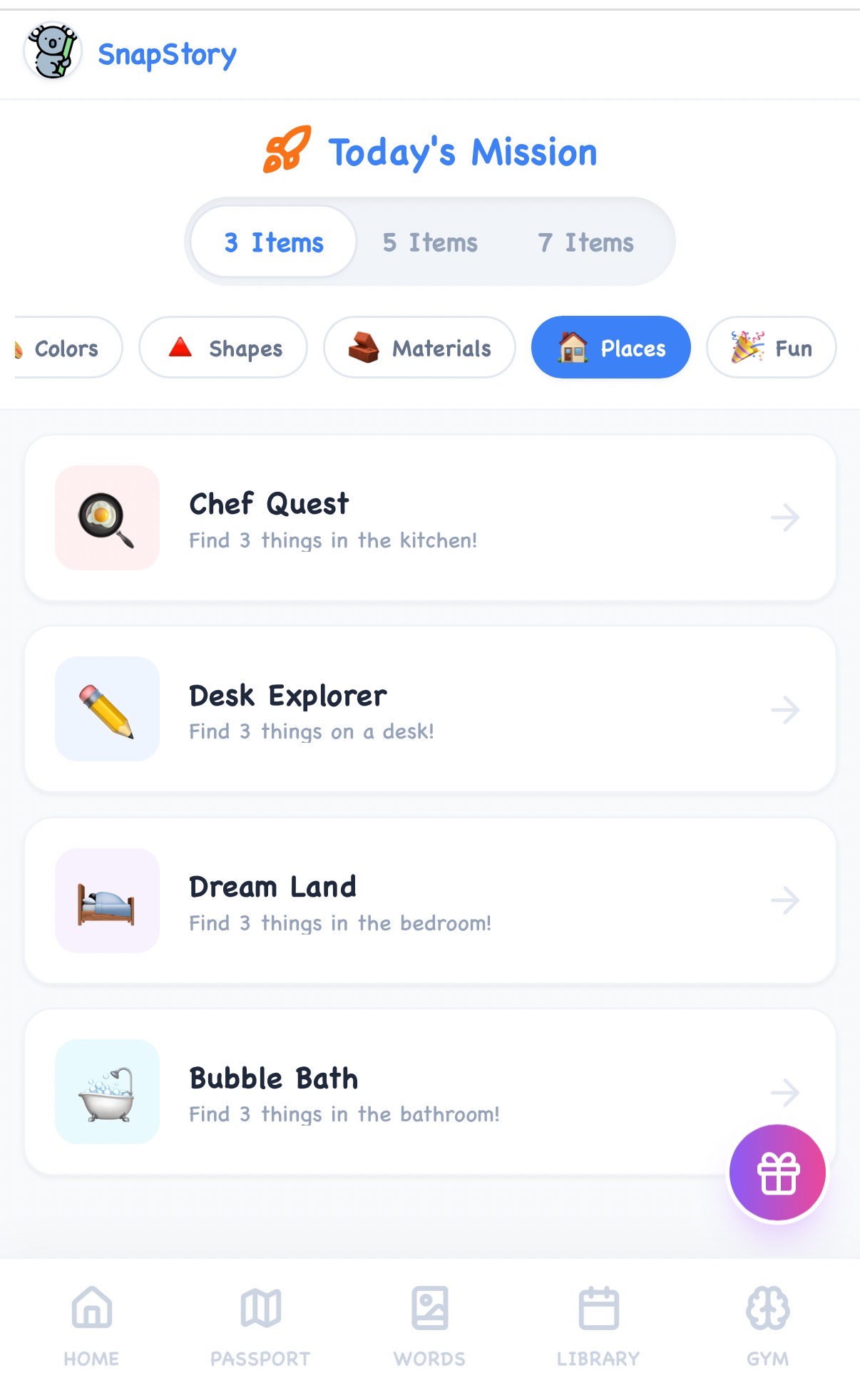
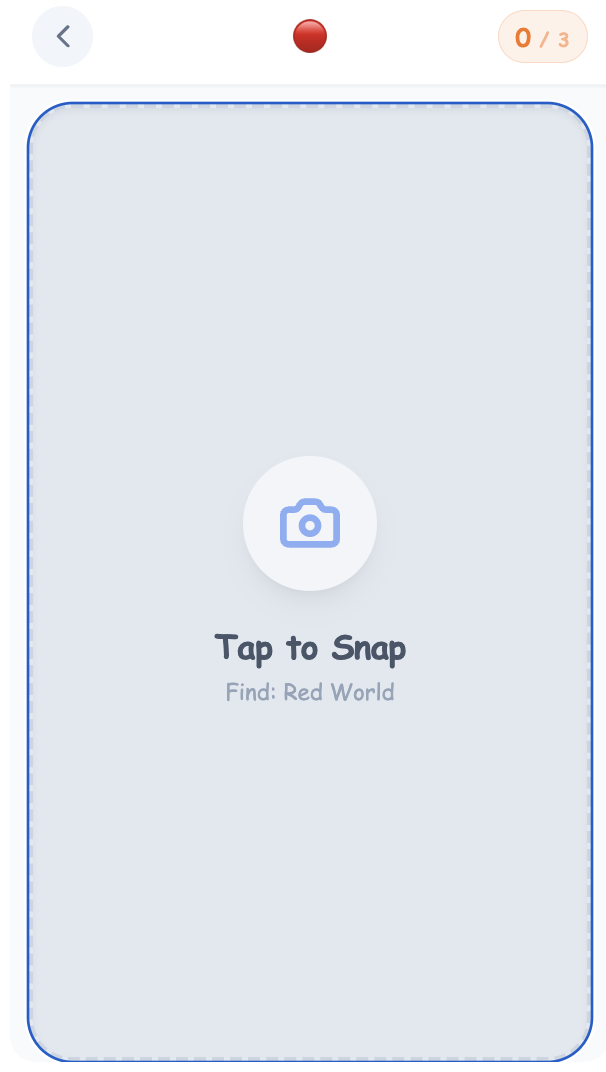
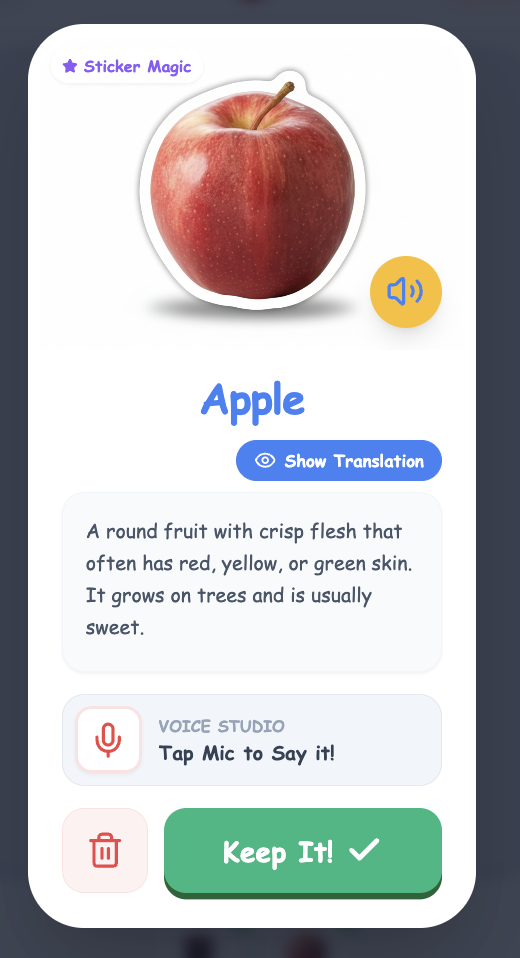
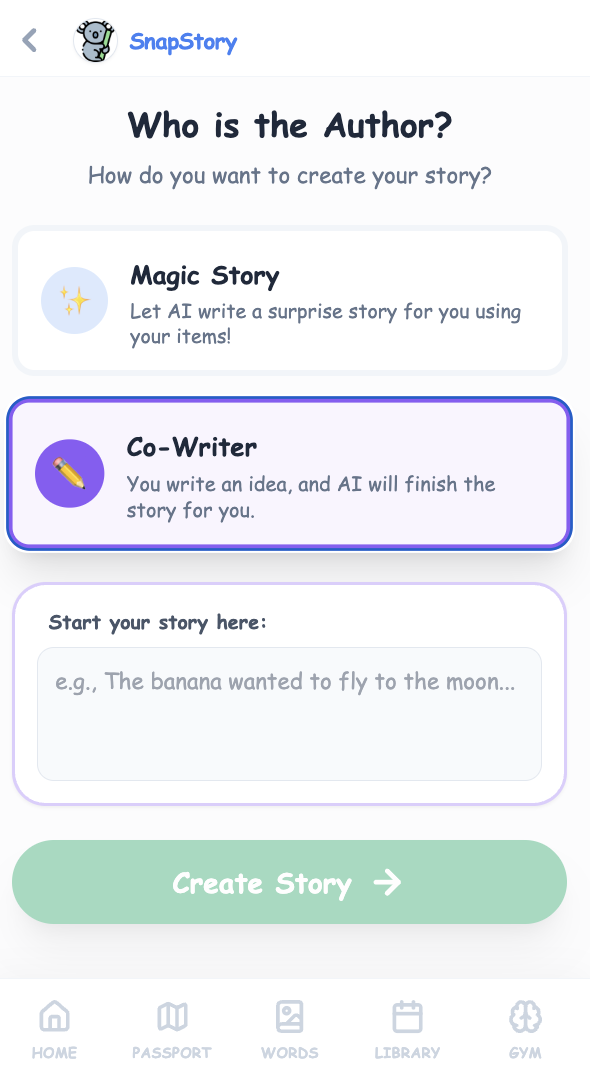
Camera exploration screenAI-generated vocabulary card screenAI and co-writer selection screenPersonalized storybook reading screen

Overview

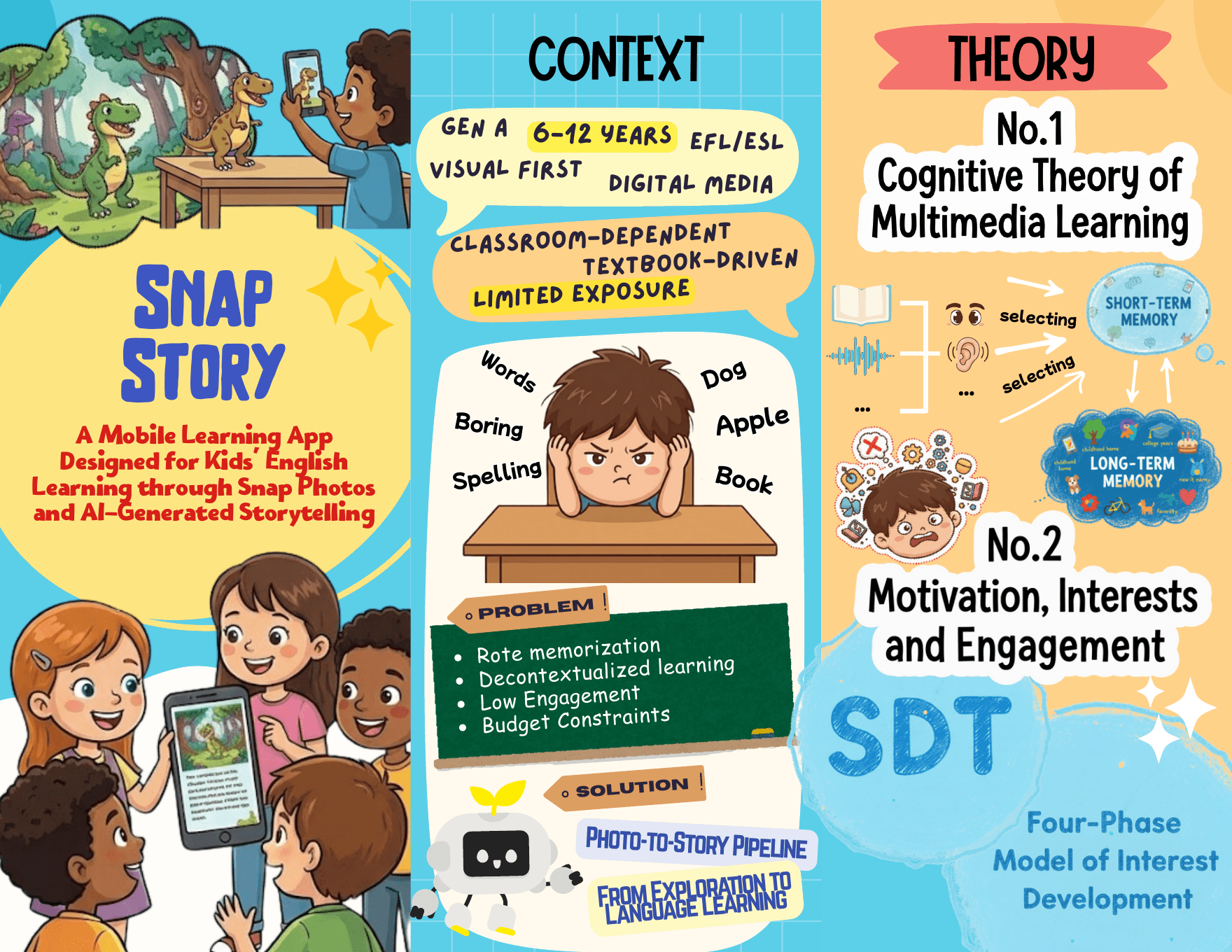
SnapStory is a fun English vocabulary and picture book learning application designed for children aged 6 to 12 who are learning English as a second language. To move away from rote memorization and decontextualized learning, we designed a learning process that starts with real-world exploration. Children take photos of everyday objects; these photos are recognized by AI and transformed into vocabulary cards, then linked together to generate a personalized English picture book story.

Role
Learning Experience Designer · UX/UI Designer · Prototype Developer
Duration
Fall 2025
Tools
Figma · CodeX · Gemini API · Canva · Adobe Illustrator
Team
Katy Ye · Jiayu Liu · Rae Ma · Sijie Wu
Contribution
I contributed to the learning needs analysis, theoretical alignment, learning flow, interaction design, and functional AI prototype development.
SnapStory Interactive English Learning App for KidsOpen App

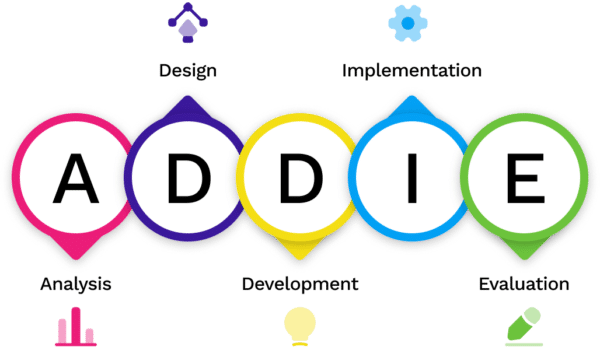
Select a phase in the diagram to jump to that section.

This project follows the ADDIE framework. I began by analyzing the current English-learning challenges and the specific learning characteristics of EFL learners aged 6 to 12. Based on these learning needs and identified problems, we designedthe application's structure, features, and prototype. We then developed the app prototype using Gemini and Codex. So far, we have tested it in class and with five young users. In the next phase, we plan to implement and evaluate the app with a larger group of target users.

Analyze

Analyzing current English-learning challenges and the specific learning characteristics of EFL learners aged 6 to 12.

01

Background: Learning Needs & Key Problems

The target audience (elementary school students) belongs to Generation Alpha, a generation with a reduced reliance on text and a significantly enhanced preference for visual content. Fundamental EFL learning for this age group requires extensive vocabulary acquisition, contextualized reading, and listening practice. Embodied learning modalities such as handwriting, gesturing, or physical interactions like photography can also facilitate the connection between visual and motor networks, thereby enhancing memory retention.

Key Problem 1

De-contextualization in Traditional Pedagogy

When EFL learners study English words without contextual clues, the mechanism for deep memory encoding is not triggered. Consequently, learners find it difficult to utilize the foreign language in real-life scenarios.

Key Problem 2

Passive engagement

Although digital resources offer flexibility, the interaction is often limited to mechanical “clicking and watching.” This passive consumption leads to boredom and a rapid decay in motivation.

Key Problem 3

Economic constraints

Additional resources, such as picture books or after-school tutoring, often cause extra costs for families. The affordability of English-learning materials remains a significant barrier.

02

Target Users

Four cheerful elementary school children walking together

Elementary-aged EFL learners

The target audience is children aged 6 to 12, elementary school students learning English as a Foreign Language.

  • Learning purpose: extensive English vocabulary acquisition, contextualized reading, and speaking & listening practice
  • Learning preference: images, videos, interactive media, stories, and embodied learning modalities
03

Theoretical Framework

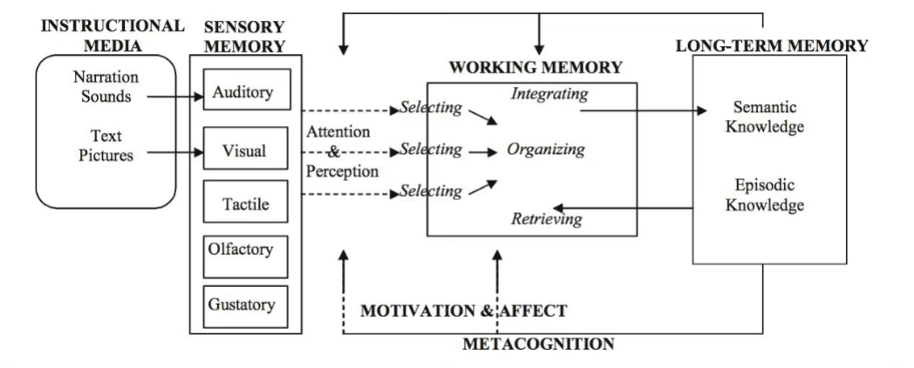
How information is presentedCognitive Theory of Multimedia Learning

Multimedia learning theory systematically explains how human beings process multimodal information and how design can reduce cognitive load. Meaningful learning occurs as learners repeatedly select and organize relevant information, retrieve prior knowledge from long-term memory, and integrate it with new information.

Cognitive Theory of Multimedia Learning model showing the movement of information from instructional media through sensory and working memory into long-term memory
Mayer’s Principles for Reducing Extraneous Processing or Cognitive Load
  1. Multimedia Principle: Use graphics and text together
  2. Coherence Principle: Exclude extraneous material
  3. Signaling Principle: Highlight essential material
  4. Redundancy Principle: Don’t overload with graphics, narration AND text
  5. Spatial Contiguity Principle: Place sign next to corresponding graphic
  6. Temporal Contiguity Principle: Present narration and graphics together
  7. Segmenting Principle: Allow learners to advance at their own pace
  8. Pre-training Principle: Summarize key elements before
  9. Voice Principle: Use a human voice
  10. Image Principle: Don’t include the narrator’s image if possible
Why learners begin and persistMotivation, Interest & Engagement

While multimedia theory guides how we present information, theories of motivation, interest, and engagement explain why a learner chooses to participate and persist. We use Self-Determination Theory to support autonomy, competence, and relatedness, and the Four-Phase Model to understand how interest develops through interaction with the environment.

TriggeredMaintainedEmergingWell-developed

Design

Creating a complete path from perceptual experience to meaning construction, and then to application and reinforcement.

01

Design Goals & Learning Objectives

01

Build personalized language materials

Make children's daily lives the source of content by using the objects, interests, and physical environments they choose.

02

Support meaning construction within narrative contexts

Embed photographed objects into a coherent story so vocabulary can be understood in use rather than presented in isolation.

03

Enhance sustained motivation

Use exploration, instant AI feedback, autonomous task selection, and collectible learning achievements to support long-term engagement.

02

Overview

A Photo-to-Story Pipeline

To create a contextualized and engaging learning tool, we propose a Photo-to-Story Pipeline. This workflow encourages children to use mobile phone cameras to detect surrounding objects and convert them into digital realia. Once an object is captured and learned through a digital word card, the system advances to a narrative phase and integrates the learner's personal physical reality into the digital learning material.

  1. 1ExploreSnap real objects
  2. 2CreateGenerate or co-write
  3. 3Read & PlayHear, find, and spell
  4. 4ReviewCollect and revisit
03

Design Structure

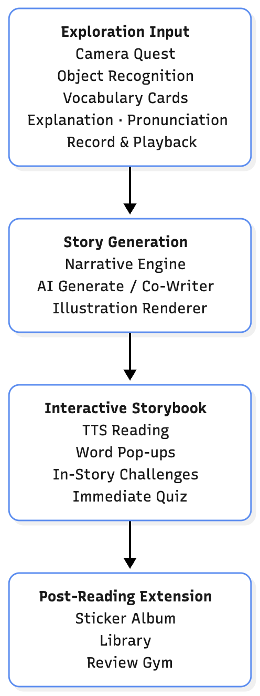
Four-stage design structure from exploration input through post-reading extension
Show text description

SnapStory divides the learning process into four stages, forming a complete path from perceptual experience to meaning construction, and then to application and reinforcement.

04

User Flow

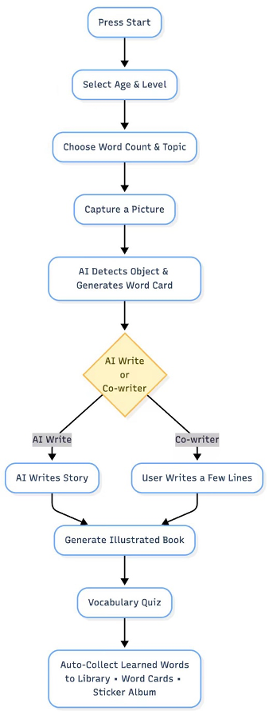
SnapStory user flow from profile and mission selection to an illustrated book, quiz, library, word cards, and sticker album
Show text description

The user flow organizes the children's learning experience from profile and task selection to camera exploration, story creation, interactive reading, and post-reading review.

Development

Automating the learning process from photos to vocabulary cards and personalized picture books.

01

Tools

AI-assisted media pipeline

This system relies on model services provided by Google AI Studio and uses tools such as the Camera Input module, AI object recognition, vocabulary card generator, AI co-creation engine, and Storybook Renderer to automate the process from photos to picture books.

The application runs on mobile devices with camera capabilities, such as phones or tablets, while on computers, photos need to be manually uploaded to enter the learning process.

  • 01Figma · UX/UI design and prototype planning
  • 02CodeX · interactive prototype development
  • 03Gemini API · object recognition and story generation
  • 04Canva · presentation and visual asset production
  • 05Adobe Illustrator · diagram and graphic refinement
02

Prototype Walkthrough

01 · Exploration input

Make the real environment personalized learning material

Children begin with real-world situations, using a camera to record everyday objects and making the real environment personalized learning material. The system instantly recognizes images and generates vocabulary cards containing pictures, spelling, definitions, and pronunciation, providing multi-channel, multimodal basic input and supporting self-monitoring and repetition practice.

View Learning Science Alignment

Embodied and grounded learningPhotography creates an authentic connection between English vocabulary and the physical world, transferring learning from floating cognitive concepts to a grounded understanding within a real-world context.

Pre-training + multimediaBefore children begin reading, the camera scavenger hunt introduces target words through a real-life photograph, the word's spelling, and audio pronunciation. When the words later appear in the story, children already have prior experience with them.

Autonomy + triggered situational interestThe mission provides a topic direction but leaves the specific objects up to the user. Tap to Snap and instant AI recognition create a direct link between the real world and the screen, making the experience feel novel and fun.

Mission and item-count selection
Camera quest capture screen
Generated apple vocabulary card

02 · Story generation

Transform memorized material into applicable context

After vocabulary collection, the system automatically generates coherent English stories based on the photos or collaborates with children to brainstorm plots, embedding the exploration results into a narrative structure. This stage transforms memorized material into applicable context and prompts children to understand the meaning and function of vocabulary within a context.

View Learning Science Alignment

Contextualized vocabulary learningChildren photograph real-world objects and then encounter these words again in AI-generated storybooks. This process provides multiple contextual cues, allowing the meaning of words to be understood in use rather than presented in isolation.

Autonomy + emerging individual interestUsers can choose Magic Story or Co-Writer. In Co-Writer mode, children write a few lines first and AI continues the story based on their ideas, allowing them to express themselves and bring their imagination into English learning.

Coherence + segmentingSnapStory divides stories and interactive activities into manageable segments based on the user's age and English proficiency. A picture book typically has around five pages, preventing children from seeing too much content at once.

Magic Story and Co-Writer mode selection
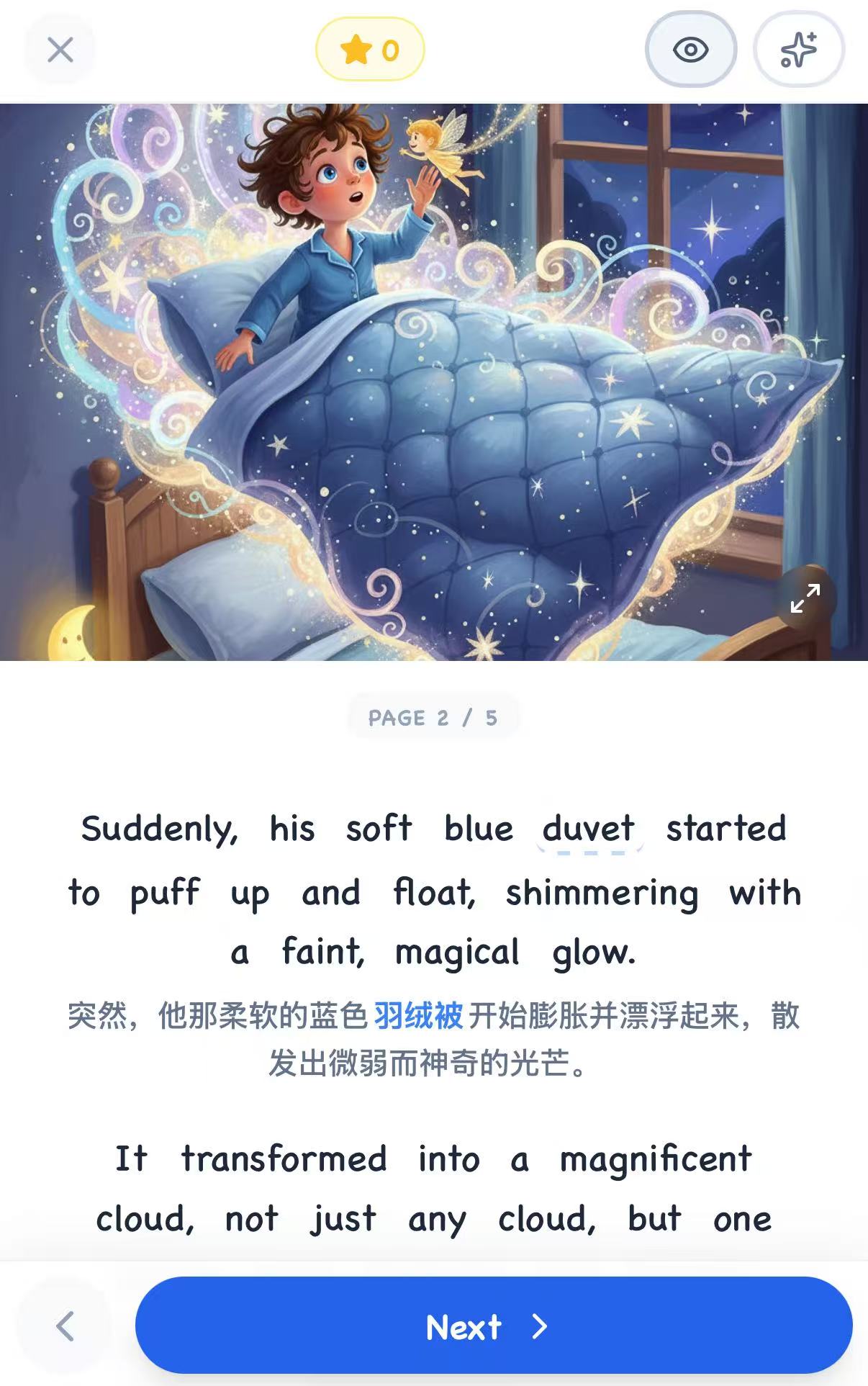
Generated illustrated storybook page

03 · Interactive storybook

Reinforce form–meaning–use connections

The story is presented as an illustrated storybook with natural TTS narration and inline translation. Interactive tools such as highlighting, vocabulary cards, word-finding, and spelling tasks reinforce form–meaning–use connections, while short quizzes provide immediate feedback for consolidation.

View Learning Science Alignment

Signaling + temporal contiguityDuring story reading, the current word is highlighted synchronously when the TTS is reading, allowing children to correspond the sound with the text and providing a clear focus for the learning task.

Spatial contiguity + coherenceVocabulary explanations and Chinese translations appear directly on the same page beside the corresponding text. The reading interface also hides navigation and components unrelated to the current task.

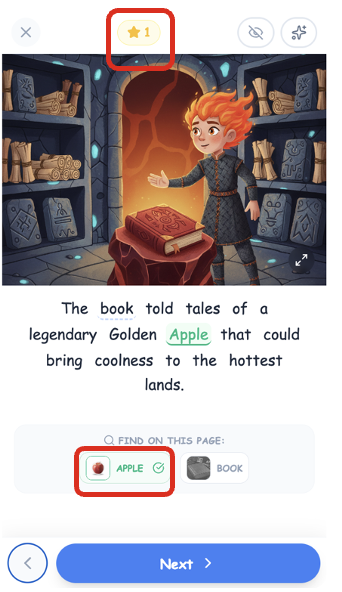
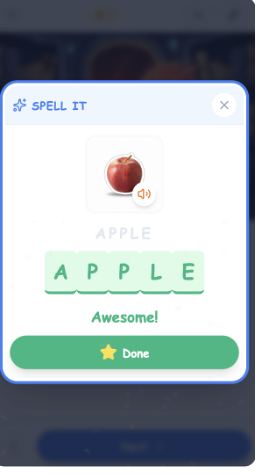
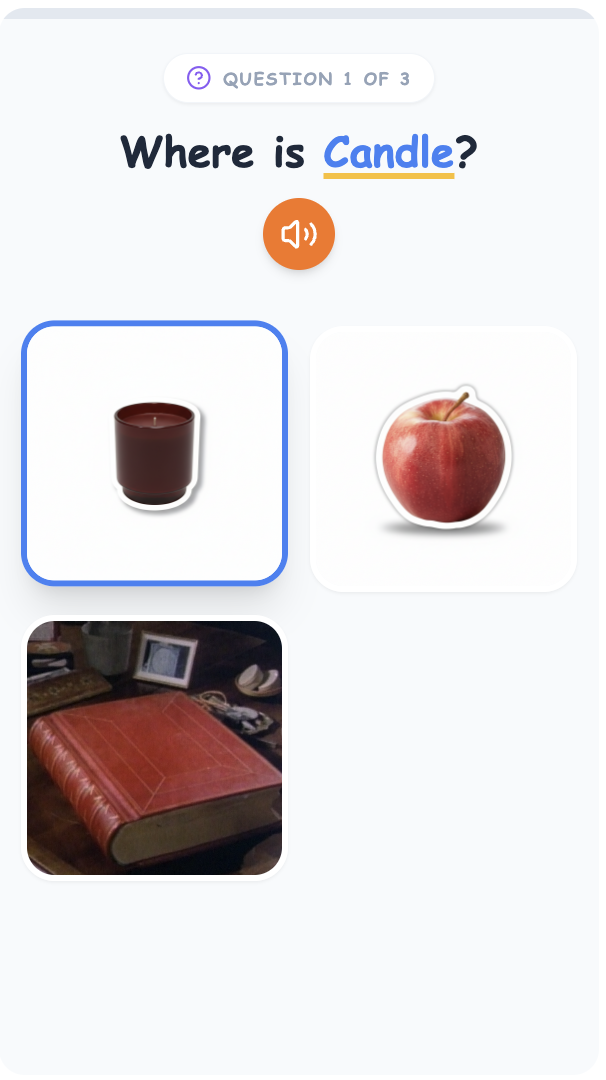
Competence through layered practiceThe same words appear in vocabulary cards, Find the Word, Spell It, reading aloud, and the end-of-story quiz, providing multiple scaffolded opportunities for users to succeed with the same vocabulary.

Illustrated story with English and Chinese text
Find the target word on a story page
Spell It activity with the completed word apple
Immediate vocabulary quiz

04 · Post-reading extension

Support the continuous reinforcement of long-term memory

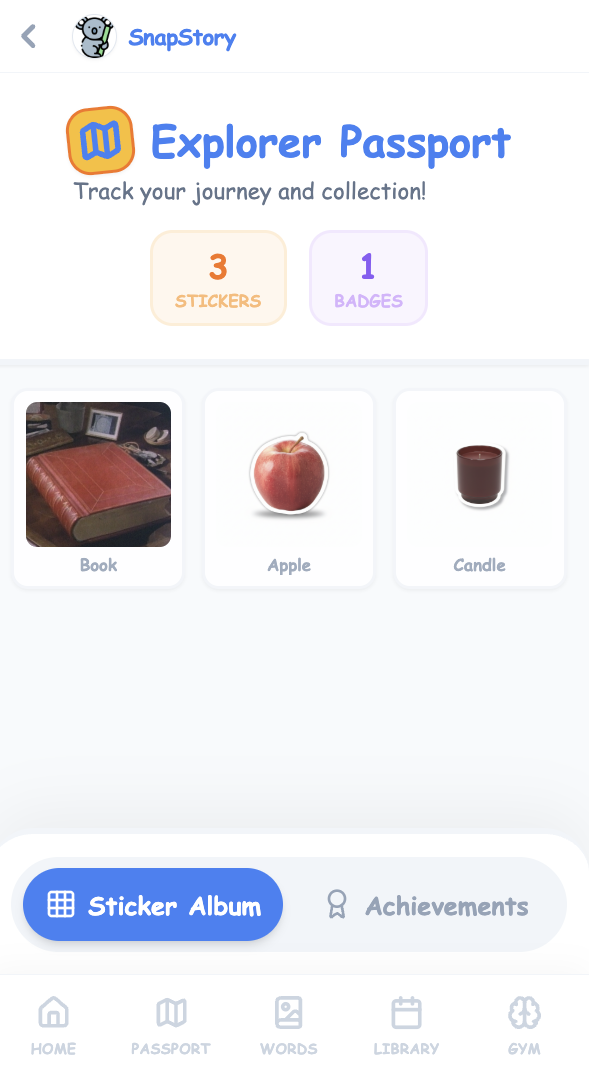
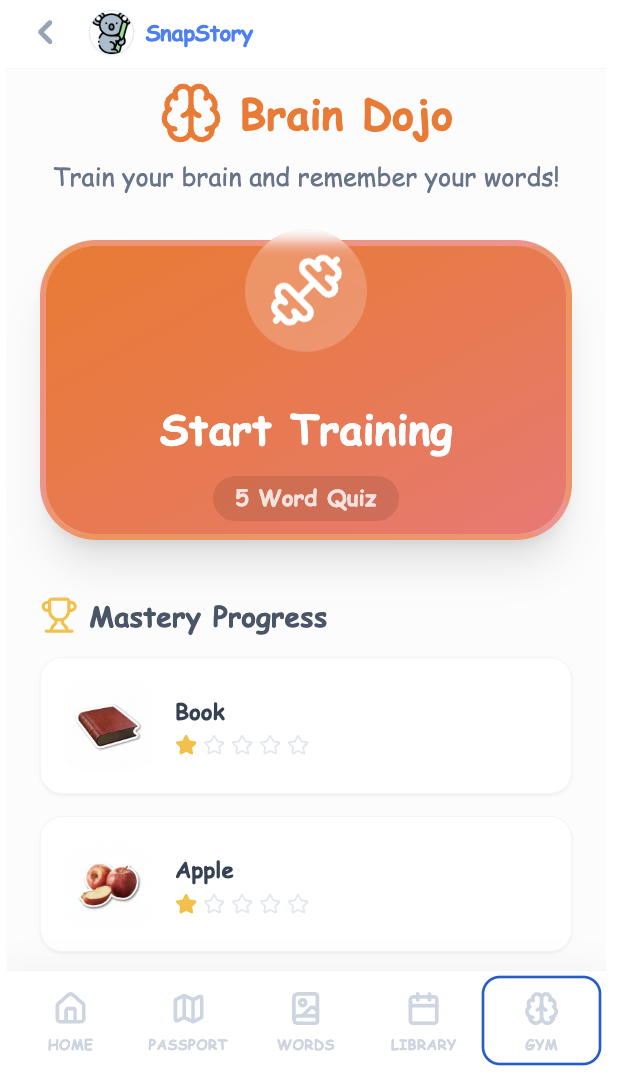
All vocabulary words that appear in the stories are automatically added to a sticker album and personal vocabulary library, forming a visual learning record. The Gym module, based on spaced repetition theory, supports the continuous reinforcement of long-term memory through activities such as flashcards and pronunciation comparisons.

View Learning Science Alignment

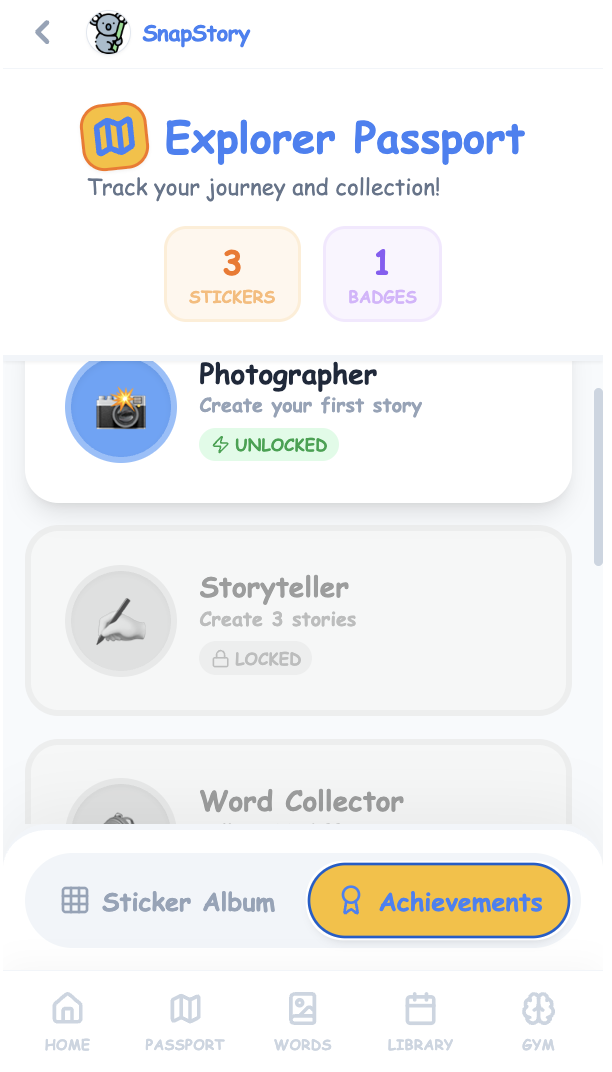
CompetenceExplorer Passport displays the number of stickers and badges the user has collected, allowing children to see how many vocabulary items they have learned and which achievements they have unlocked.

Maintained situational interestThe same set of vocabulary words reappears across different contexts and activities. This keeps practice varied rather than repetitive while strengthening understanding and long-term memory.

Well-developed individual interestLearners can keep photographing new objects, generating non-repetitive stories, and growing a personal vocabulary album. Word Gym also offers a structured way to practice words again and again, supporting a more self-directed learning habit.

Explorer Passport with stories and badges
Personal vocabulary sticker album
Word Gym with mastery progress

User Testing

Using early implementation and formative evaluation to examine the complete SnapStory learning experience.

01

Testing context

In-class prototype review

We tested the prototype in class to review the end-to-end interaction flow and the alignment between the product functions and the intended learning experience.

02

Participants

Five young users

The formative sessions followed the learning path from mission selection and photo capture to vocabulary learning, story generation, interactive reading, and review.

03

Current status

Early formative testing

This phase provides an initial implementation and evaluation step. The prototype still requires broader testing before we can make claims about learning outcomes.

Key Takeaways

From learner needs to a functional AI learning experience

This design was my final project for MSTU 4083: Instructional Design of Education Technology and earned an A+.

Through this project, I learned how to move through a complete instructional design process—from analyzing an authentic learning challenge and learners' needs, to defining learning goals and strategies, designing the application structure and learning flow, and translating those decisions into a visual and functional prototype.

I gained hands-on experience applying the ADDIE Model, the Cognitive Theory of Multimedia Learning, and frameworks for motivation, interest, and engagement to guide design decisions rather than adding technology for its own sake. Using Figma for UI/UX design and Gemini and Codex for AI-assisted development, I connected the Gemini API to support object recognition, audio, and storybook image generation.

Most importantly, I learned that an effective AI learning experience comes from aligning every feature with a clear learner need, learning objective, and evidence-based learning principle.